
Export from the Inka writing app to Google Docs
In the Inka writing app, Send to Google Docs turns the open piece into a Doc in your Drive. It keeps updating while that browser tab stays open. Close the tab and the Google session ends. The Doc remains yours.
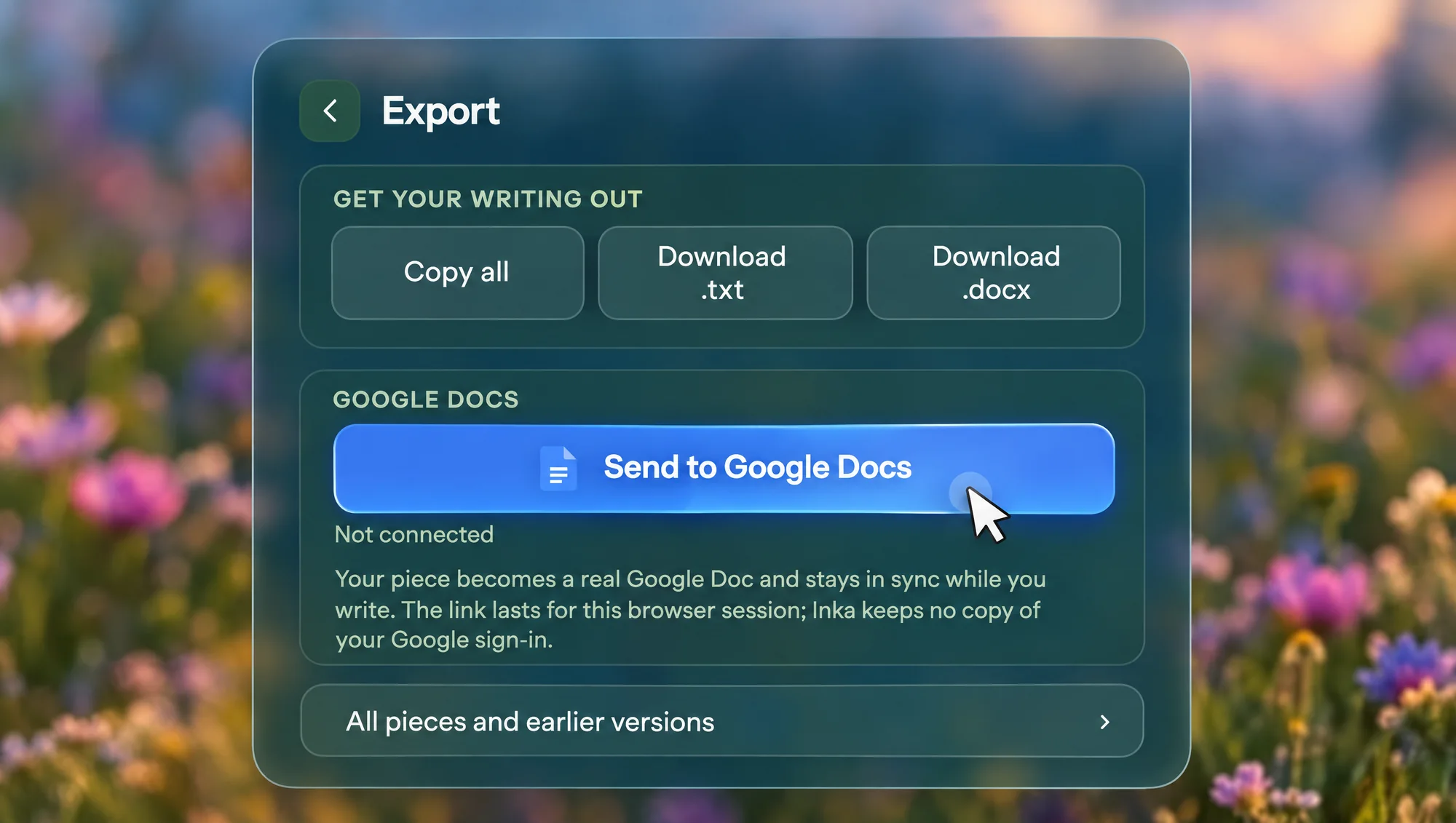
How to send a piece
- Open the piece you want. Export is the open piece, not every piece at once.
- Open Export and press Send to Google Docs. You sign in with Google in the page.
- Inka creates a Doc and, while you keep writing, pushes updates to it. The access lasts for this browser session. Inka does not keep a copy of your Google sign-in.
- The status becomes a way to open that Doc. There is also Sync now, and Disconnect.
The permission asked for is the narrow Drive file scope: Inka can create a file and update that file. It is not asking to read the rest of your Drive. If the Google script does not load, the fallback is to copy the piece and open a new Doc for you to paste into.
A longer walk-through, with pictures, is the export guide.
The copies that do not need Google
Copy all puts the piece on the clipboard. Download .txt gives paragraphs separated by a blank line. Download .docx is a real Word file, built in the browser, which Word and Google Docs both open. Those three work offline, after the app has loaded once. Send to Google Docs does not.
The filename comes from the piece title.
What the sync will not do
It goes one way, from Inka to the Doc. Edits you make in the Doc are not pulled back into the room. It updates the open piece, not a folder of old drafts, and it stops when the tab's Google session ends. Sign in to Inka itself is a separate thing: that syncs pieces between your devices through Inka, and it is not the Google Doc.
Export is free on every account.
Questions
Does the Doc keep updating after I close the laptop?
It keeps updating while the tab is open and the Google session is alive. After that, the Doc stays in Drive as it was. Reconnect if you want to send more.
Can Inka see my other Drive files?
The scope used is the one that covers files the app creates, not your whole Drive.
Is this Pro?
No. Copy, .txt, .docx, and Send to Google Docs are free.
What if I am offline?
Use .txt or .docx. Google Docs needs a connection.
Open Inka
Open Export, sign in to Google, and the Doc fills in while you keep writing.